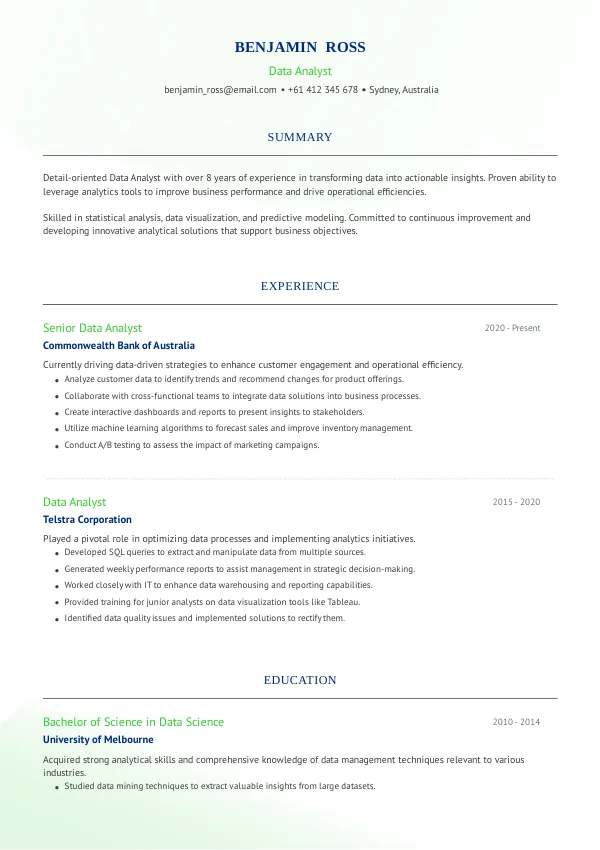
Common Resume Mistakes for Data Analysts in Australia
The role of a Data Analyst is critical in today's data-driven landscape. However, many applicants make mistakes on their resumes that can significantly reduce their chances of landing interviews. Understanding these common pitfalls is essential for standing out in a competitive job market. Consider reviewing your resume carefully to avoid repeated rejections.
How Recruiters Evaluate Data Analyst Resumes
Recruiters in Australia look for specific skills and experiences when evaluating resumes for Data Analyst positions. They often rely on Applicant Tracking Systems (ATS) to filter candidates based on keyword relevance and formatting. Many candidates don't realize that they may be rejected for issues they never notice. A thorough review of your resume can help you identify these hidden mistakes.
Without an external review, you may miss critical errors that affect your visibility to potential employers.
Improve your resume and boost your chances of landing interviews.
Get StartedCommon Resume Mistakes for Data Analysts
Mistake #1 – Poor Formatting
Why this hurts
Inconsistent formatting can make your resume hard to read, causing recruiters to overlook important information.
Example
- Bad: Different font sizes and styles throughout.
- Better: A uniform font style and size across the document.
How to fix
- Stick to one font type and size for all sections. Use bold for headings and bullet points for lists.
Mistake #2 – Lack of Relevant Keywords
Why this hurts
ATS systems scan for specific keywords related to the job description. Missing these can lead to automatic rejection.
Example
- Bad: Using general terms like 'data processing.'
- Better: Incorporating keywords like 'data visualization' and 'SQL.'
How to fix
- Analyze job descriptions and include relevant keywords throughout your resume.
Mistake #3 – Vague Job Descriptions
Why this hurts
Unclear descriptions of your past roles can make it difficult for recruiters to gauge your skills and experiences.
Example
- Bad: “Worked with data.”
- Better: “Analyzed customer data to identify trends, resulting in a 15% increase in sales.”
How to fix
- Quantify achievements with specific results to demonstrate your impact.
Mistake #4 – Ignoring Soft Skills
Why this hurts
Technical skills are crucial, but soft skills like communication and teamwork are equally important for Data Analysts.
Example
- Bad: No mention of teamwork.
- Better: “Collaborated with cross-functional teams to deliver actionable insights.”
How to fix
- Incorporate soft skills into your experience descriptions to show a well-rounded profile.
Mistake #5 – Overloading with Jargon
Why this hurts
Using excessive technical jargon can alienate recruiters who may not be familiar with niche terms.
Example
- Bad: “Utilized complex algorithms for predictive analytics.”
- Better: “Used statistical methods to forecast sales trends.”
How to fix
- Use clear language to explain your skills and experiences, avoiding unnecessary jargon.
Mistake #6 – Not Tailoring Your Resume
Why this hurts
A generic resume fails to resonate with recruiters looking for specific qualifications.
Example
- Bad: One-size-fits-all resume.
- Better: Customized resume highlighting relevant skills for each application.
How to fix
- Revise your resume for each job application to align your experiences with the job description.
Mistake #7 – Ignoring ATS Compatibility
Why this hurts
Resumes that are not ATS-friendly can be misread or rejected before a recruiter even sees them.
Example
- Bad: Using graphics or text boxes.
- Better: A simple text-based layout without images.
How to fix
- Use standard formats like .docx or .pdf without complex designs.
Mistake #8 – Lengthy Resumes
Why this hurts
Long resumes can be overwhelming, causing recruiters to lose interest.
Example
- Bad: A two-page resume with excessive details.
- Better: A one-page resume focusing on key achievements.
How to fix
- Keep your resume concise, ideally one page, focusing on the most relevant information.
Mistake #9 – Failing to Include Contact Information
Why this hurts
Missing contact details prevent recruiters from reaching you for interviews.
Example
- Bad: No email or phone number listed.
- Better: Clear contact information at the top of the resume.
How to fix
- Always include your email, phone number, and LinkedIn profile at the top.
Mistake #10 – Neglecting Proofreading
Why this hurts
Spelling and grammar mistakes can make you appear unprofessional and careless.
Example
- Bad: “I have experience in data analisis.”
- Better: “I have experience in data analysis.”
How to fix
- Proofread your resume multiple times and consider using tools or services for an external review.


Common ATS Mistakes for Data Analysts
ATS systems are designed to filter resumes based on specific criteria. Many candidates fail to optimize their resumes for these systems, leading to missed opportunities. Common ATS mistakes include using non-standard file formats, excessive graphics, or complex layouts that can confuse the software. Identifying these issues can be challenging without professional tools or an expert review.
Mistakes by Experience Level
Entry-Level
Entry-level candidates often underestimate the importance of highlighting relevant coursework or internships. They should ensure to include any data-related projects, even if they were part of their education.
Mid-Level
Mid-level candidates must focus on quantifiable achievements and leadership experiences. They should avoid generic descriptions and emphasize their contributions to past roles.
Senior
Senior candidates should demonstrate their impact on strategic decision-making and team leadership. They must convey their ability to mentor and guide junior analysts effectively.
Ensure your resume meets ATS standards for better visibility.
Check ATSQuick Checklist for Your Data Analyst Resume
- Ensure consistent formatting throughout the document.
- Incorporate relevant keywords from the job description.
- Quantify your achievements with specific results.
- Include both technical and soft skills.
- Avoid excessive jargon; use clear language.
- Customize your resume for each application.
- Use a simple, ATS-friendly format.
- Keep your resume concise, ideally one page.
- Include your contact information prominently.
- Proofread for spelling and grammar errors.
FAQs About Data Analyst Resumes in Australia
What should I include in my Data Analyst resume?
Focus on your technical skills, relevant experiences, and measurable achievements.
How long should my resume be?
Ideally, keep it to one page unless you have extensive experience.
Should I list all my skills?
Prioritize skills relevant to the job you’re applying for, rather than listing every skill.
How can I improve my chances of getting an interview?
Ensure your resume is tailored, clear, and free of errors. Consider a professional review.
What is the best format for an ATS-friendly resume?
Use standard formats like .docx or .pdf and avoid graphics or unusual layouts.
Take the Next Step Towards Your Dream Job
Your resume is your first impression on potential employers. Don’t let common mistakes hold you back from securing interviews. Review your resume for errors and alignment with job descriptions.
Consider using mistakes.cv for a professional review to enhance your application and increase your chances of landing that Data Analyst role.

 UAE
UAE Qatar
Qatar Saudi Arabia
 South Africa
 Brazil
 USA
USA Canada
 Australia
 United Kingdom
 New Zealand
 Singapore
 Germany
 France
 Spain
Spain Greece
 Italy
Italy India
India Philippines
 Malaysia
 Indonesia
 South Korea
 Japan
Japan