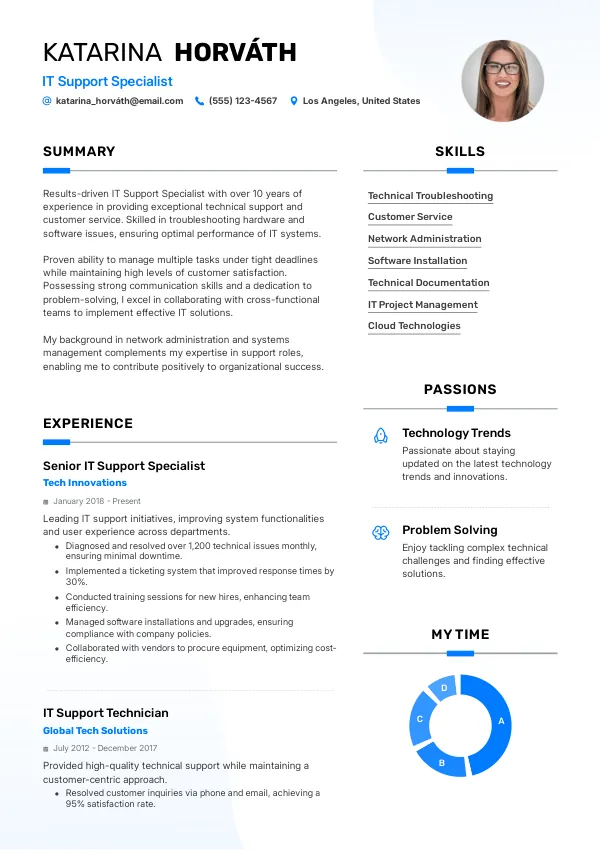
Introduction to IT Support Specialist Resumes
As an IT Support Specialist, crafting a compelling resume is critical for landing interviews in today's competitive job market. Unfortunately, many candidates overlook common mistakes that can cost them opportunities. It's essential to ensure your resume effectively showcases your skills and experience while avoiding pitfalls that recruiters notice.
Before applying, consider having a professional review your resume at mistakes.cv to catch hidden errors that may lead to repeated rejections.
How Recruiters Evaluate IT Support Specialist Resumes
Recruiters and ATS systems are looking for specific qualifications and keywords in resumes. They quickly filter through applications, often rejecting candidates based on common formatting issues or missing relevant experience. Many applicants fail to recognize these mistakes, which is why an external review can be invaluable.
A thorough resume review can highlight overlooked errors and enhance your chances of standing out in the application process.
Get expert insights on your resume today to boost your chances.
Review NowCommon Resume Mistakes for IT Support Specialists
Mistake #1 – Poor Formatting
Why this hurts
Recruiters often reject resumes that are not visually appealing or organized. A cluttered format can make it difficult for them to find essential information.
Example
- Bad: Large blocks of text without headings.
- Better: Clear sections with headings and bullet points.
How to fix
- Use consistent formatting, like font size and style, throughout the document.
- Break up text with headings and bullet points for better readability.
Mistake #2 – Using Generic Keywords
Why this hurts
Using vague terms can lead to your resume being filtered out by ATS systems. Specific keywords related to IT support roles are critical for passing initial screenings.
Example
- Bad: "Experienced in IT."
- Better: "Proficient in troubleshooting hardware and software issues."
How to fix
- Research job descriptions to identify relevant keywords and incorporate them naturally into your resume.
Mistake #3 – Ignoring Technical Skills
Why this hurts
IT roles demand specific technical skills. Omitting these can lead recruiters to question your qualifications.
Example
- Bad: "Knowledge of networking."
- Better: "Certified in Cisco networking protocols and hands-on experience with network troubleshooting."
How to fix
- List all relevant technical skills prominently, ideally in a separate section.
Mistake #4 – Lack of Quantifiable Achievements
Why this hurts
Failing to provide measurable results can make it hard for recruiters to gauge your impact in previous roles.
Example
- Bad: "Provided technical support."
- Better: "Resolved 95% of support tickets on the first call, improving customer satisfaction by 20%."
How to fix
- Use numbers and percentages to demonstrate your accomplishments and contributions.
Mistake #5 – Overloading with Irrelevant Experience
Why this hurts
Including unrelated work experiences can distract from your relevant qualifications and make your resume too long.
Example
- Bad: "Worked in retail for 5 years."
- Better: "Focused on technical support roles in previous positions."
How to fix
- Tailor your resume to highlight only relevant experience that aligns with the IT support role you're targeting.
Mistake #6 – Not Tailoring for Each Application
Why this hurts
Sending the same resume for every job can result in missed opportunities, as each role may require different skills.
Example
- Bad: Generic resume sent to various companies.
- Better: Customized resume for each application highlighting relevant skills.
How to fix
- Adapt your resume for each application, emphasizing the skills and experiences that match the job description.
Mistake #7 – Not Proofreading
Why this hurts
Simple spelling and grammar errors can create a negative impression, suggesting a lack of attention to detail.
Example
- Bad: "Manadged IT resources."
- Better: "Managed IT resources."
How to fix
- Proofread carefully and consider using tools or getting a second opinion for a thorough review.
Mistake #8 – Failing to Highlight Certifications
Why this hurts
Certifications are crucial in IT roles; neglecting to mention them can lead to missed opportunities.
Example
- Bad: "Various IT certifications."
- Better: "CompTIA A+, Microsoft Certified: Azure Fundamentals."
How to fix
- List all relevant certifications prominently, ideally in a dedicated section.


Common ATS-Related Mistakes
ATS systems play a significant role in the hiring process, often filtering out resumes that don't adhere to specific formatting and content requirements. Issues such as using uncommon file types, excessive graphics, or non-standard fonts can lead to misinterpretation of your qualifications. These errors are often hard to self-diagnose, which is why a professional review can help identify and rectify them.
Mistakes by Experience Level
Entry-Level
Entry-level candidates often lack relevant experience, leading them to include too much unrelated information. Be concise and focus on transferable skills and education.
Mid-Level
Mid-level specialists should emphasize accomplishments and technical expertise. Many forget to quantify their achievements, which can weaken their application.
Senior/Lead
Senior candidates need to showcase leadership and strategic skills. A common mistake is failing to convey the scope of their responsibilities and impact on team success.
Ensure your resume passes ATS checks with our professional help.
Check ATSQuick Checklist for Your Resume
- Ensure consistent formatting throughout.
- Incorporate relevant keywords from the job description.
- Highlight technical skills prominently.
- Quantify achievements with numbers and percentages.
- Tailor your resume for each application.
- Proofread for spelling and grammar errors.
- List certifications in a dedicated section.
- Avoid cluttered layouts and large blocks of text.
- Use bullet points for clarity.
- Seek external feedback for a fresh perspective.
Frequently Asked Questions
What should I include in my IT Support Specialist resume?
Focus on relevant technical skills, certifications, and quantifiable achievements in IT support roles.
How can I make my resume ATS-friendly?
Use standard fonts, avoid graphics, and include relevant keywords to pass ATS screenings.
Is it necessary to customize my resume for every job?
Yes, tailoring your resume increases the chances of matching the specific requirements of each job.
What are the most common mistakes to avoid?
Common mistakes include poor formatting, generic keywords, and not quantifying achievements.
How can I improve my resume quickly?
Consider using a professional service like mistakes.cv for a comprehensive resume review.
Take Action for Your IT Career
Don't let your resume hold you back from landing the IT Support Specialist position you desire. Review your resume for common mistakes and improve its effectiveness today.
Visit mistakes.cv for a professional evaluation and ensure your resume stands out in the hiring process.

 UAE
UAE Qatar
Qatar Saudi Arabia
 South Africa
 Brazil
 USA
USA Canada
 Australia
 United Kingdom
 New Zealand
 Singapore
 Germany
 France
 Spain
Spain Greece
 Italy
Italy India
India Philippines
 Malaysia
 Indonesia
 South Korea
 Japan
Japan