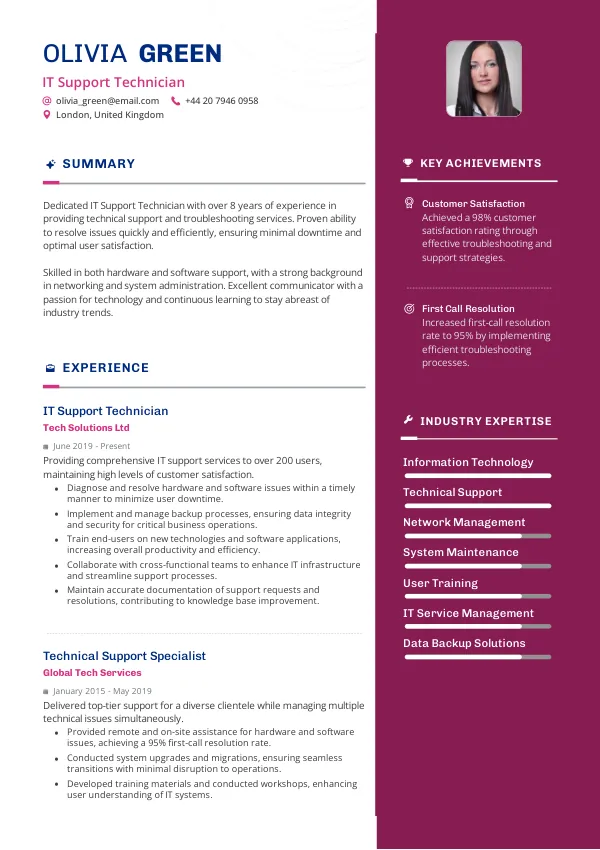
Introduction to IT Support Technician Resumes
As an IT Support Technician in the UK, your resume is your first impression. Hiring managers and recruiters often sift through numerous CVs, and mistakes can lead to immediate rejections. Understanding what common errors to avoid will enhance your chances of securing an interview. Consider reviewing your resume with mistakes.cv to identify any hidden issues early on.
How Recruiters Evaluate Your CV
Recruiters in the UK look for clarity, relevance, and professionalism in CVs, particularly for IT roles. They often rely on ATS to screen applications for keywords and formatting. Many candidates are unaware of subtle mistakes that can lead to rejection, making an external review beneficial.
Using services like mistakes.cv can help you uncover these unnoticed issues and enhance your application’s effectiveness.
Identify critical mistakes in your resume and improve your chances.
Get ReviewedCommon Resume Mistakes for IT Support Technicians
Mistake #1 – Unclear Job Titles
Why this hurts
Recruiters may not recognize your role if the job title is vague or non-standard. This can lead to confusion regarding your qualifications.
Example
- Bad: Tech Guy
- Better: IT Support Technician
How to fix
- Use specific job titles that accurately reflect your role and align with industry standards.
Mistake #2 – Irrelevant Work Experience
Why this hurts
Including unrelated jobs can dilute your relevant skills and experience, leading recruiters to overlook your CV.
Example
- Bad: Retail Assistant
- Better: Technical Support Intern
How to fix
- Focus on experience directly applicable to IT support and highlight relevant skills.
Mistake #3 – Poor Formatting
Why this hurts
A cluttered or unprofessional format can make your CV hard to read, impacting the first impression.
Example
- Bad: Overuse of colours and fonts
- Better: Clean layout with consistent font and headings
How to fix
- Stick to a simple, professional format with clear sections and consistent styling.
Mistake #4 – Lack of Keywords
Why this hurts
Without relevant keywords, your CV might fail ATS screening, resulting in it being overlooked by recruiters.
Example
- Bad: Generic phrases like “good with computers”
- Better: Specific skills like “Windows Server Administration”
How to fix
- Research job descriptions and include specific keywords relevant to the IT support role.
Mistake #5 – Inconsistent Dates
Why this hurts
Inconsistencies in employment dates can raise red flags about your reliability or attention to detail.
Example
- Bad: 2019-2020, 2021-2022
- Better: January 2019 - December 2020
How to fix
- Ensure all dates are consistently formatted and accurate throughout your CV.
Mistake #6 – Overly Lengthy CVs
Why this hurts
CVs that exceed two pages can lose the attention of recruiters who sift through many applications.
Example
- Bad: 4-page CV
- Better: 2-page CV summarizing relevant experience
How to fix
- Keep your CV concise, focusing on the most relevant information to the job you’re applying for.
Mistake #7 – Missing Contact Information
Why this hurts
Failure to provide contact details can prevent recruiters from reaching you regarding an interview.
Example
- Bad: No email or phone number
- Better: Clear contact information at the top
How to fix
- Always include your phone number, email, and LinkedIn profile at the top of your CV.
Mistake #8 – Neglecting Personal Development
Why this hurts
Not showcasing continuous learning can indicate stagnation, which is a concern for tech roles.
Example
- Bad: No mention of certifications
- Better: ITIL Certification, CompTIA A+
How to fix
- List relevant certifications and training to demonstrate your commitment to professional development.


Common ATS Issues for IT Support Technician Resumes
ATS, or Applicant Tracking Systems, scan CVs for keywords and formatting before they even reach a recruiter. Common mistakes include using non-standard fonts or graphics that ATS cannot parse. Without a proper check, these errors can go unnoticed, significantly reducing your chances of being shortlisted. Services like mistakes.cv can help identify these ATS-specific issues effectively.
Resume Mistakes by Experience Level
Entry-Level
Entry-level candidates often struggle with demonstrating relevant experience. Focus on internships, projects, and skills rather than work history.
Mid-Level
Mid-level professionals should ensure their CV reflects leadership skills and relevant accomplishments to stand out.
Senior / Lead
For senior roles, emphasize strategic contributions and project management experience. Tailor your CV to reflect higher expectations.
Ensure your CV meets ATS standards to avoid rejections.
Check NowQuick Checklist Before Applying
- Clear and specific job title
- Relevant experience highlighted
- Consistent formatting throughout
- Proper use of industry keywords
- Accurate and clear contact information
- Concise CV length
- List of certifications and training
- No spelling or grammatical errors
- ATS-friendly format
- Tailored CV for each application
Frequently Asked Questions
What should I include in my IT Support CV?
Focus on relevant experience, technical skills, certifications, and a clear career objective.
How long should my CV be for IT roles?
Keep it to two pages, focusing on the most relevant information for the position.
How can I make my CV stand out?
Use specific keywords, highlight relevant experience, and maintain a professional format.
Should I use graphics in my CV?
Avoid graphics as they may not be ATS-friendly and can confuse automated systems.
How can I check if my CV is ATS-compatible?
Utilize a service like mistakes.cv for an ATS compatibility review and to identify potential issues.
Take Action to Improve Your CV
Don’t risk your chances of landing that IT Support Technician role. Review your CV for common mistakes and ensure it meets the expectations of UK recruiters.
Use mistakes.cv to double-check your CV and get a professional opinion on any potential issues. Improve your chances of securing an interview today!

 UAE
UAE Qatar
Qatar Saudi Arabia
 South Africa
 Brazil
 USA
USA Canada
 Australia
 United Kingdom
 New Zealand
 Singapore
 Germany
 France
 Spain
Spain Greece
 Italy
Italy India
India Philippines
 Malaysia
 Indonesia
 South Korea
 Japan
Japan