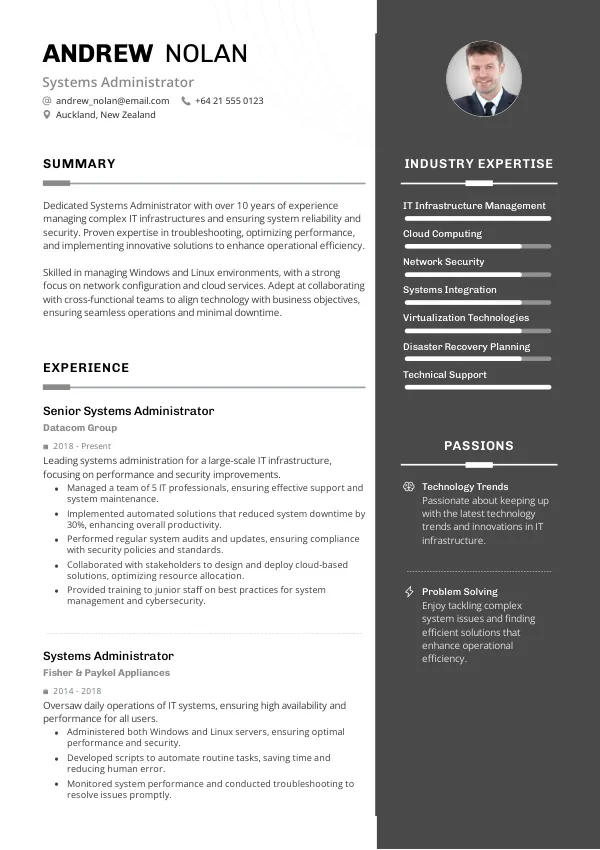
Introduction to Resume Mistakes for Systems Administrators
As a Systems Administrator in New Zealand, your resume is your first impression. With a competitive job market, even small mistakes can hinder your chances of landing an interview. Common resume errors can lead to automatic rejections by recruiters and ATS systems. It's crucial to ensure your CV is polished and free of avoidable mistakes. Consider reviewing your CV with mistakes.cv to spot errors that may go unnoticed.
How Recruiters Evaluate Systems Administrator Resumes
Recruiters and ATS systems assess your CV based on specific criteria, including format, content, and keyword relevance. Many candidates are unaware of the subtle issues that can lead to rejection, such as lack of clarity in experience or failure to include relevant keywords. An external review could provide insights that you might overlook, enhancing your chances of getting noticed.
Utilizing mistakes.cv can help you identify these hidden pitfalls and ensure your resume meets the expectations of New Zealand employers.
Enhance your chances of landing an interview with a polished CV.
Review NowCommon Resume Mistakes for Systems Administrators
Mistake #1 – Inconsistent Formatting
Why this hurts
Inconsistent formatting creates a disorganized appearance, making it difficult for recruiters to read your resume. It can signal a lack of attention to detail, which is crucial in IT roles.
Example
- Bad: Mixed font sizes and styles.
- Better: Uniform font size and consistent headings.
How to fix
- Choose a single font and stick to it throughout.
- Use consistent heading styles and bullet points.
Mistake #2 – Lack of Relevant Keywords
Why this hurts
ATS systems scan for specific keywords related to the role. Omitting relevant keywords can lead to automatic rejection.
Example
- Bad: "Managed server infrastructure" without specifying technologies.
- Better: "Managed Linux and Windows server infrastructure with VMware and AWS."
How to fix
- Incorporate keywords from the job description into your CV.
- Highlight specific technologies and tools you have experience with.
Mistake #3 – Vague Job Descriptions
Why this hurts
Vague descriptions fail to convey your responsibilities and achievements, making it hard for recruiters to gauge your capabilities.
Example
- Bad: "Responsible for IT support."
- Better: "Provided 24/7 IT support for over 100 users, resolving 95% of issues on first contact."
How to fix
- Use specific metrics to highlight your achievements.
- Detail your responsibilities clearly and concisely.
Mistake #4 – Ignoring Soft Skills
Why this hurts
Soft skills are vital in IT roles, especially for collaboration and communication. Ignoring them can make you seem less suitable.
Example
- Bad: "Technical skills only."
- Better: "Excellent communication skills with proven ability to work in teams."
How to fix
- Incorporate soft skills alongside technical skills.
- Provide examples of how you've used these skills in your work.
Mistake #5 – Overloading with Technical Jargon
Why this hurts
While technical knowledge is essential, too much jargon can alienate recruiters who may not be experts in your field.
Example
- Bad: "Implemented virtualization solutions without context."
- Better: "Implemented virtualization using VMware to improve resource allocation by 30%."
How to fix
- Keep explanations clear and concise.
- Aim to balance technical terms with understandable language.
Mistake #6 – Not Tailoring Your CV
Why this hurts
Submitting a generic CV can show a lack of interest in the specific position. Tailoring increases your chances of passing ATS filters.
Example
- Bad: One-size-fits-all resume.
- Better: Customized CV highlighting relevant experience.
How to fix
- Adjust your CV for each job application.
- Focus on the skills and experiences that align with the job description.
Mistake #7 – Lack of Professional Summary
Why this hurts
A professional summary provides recruiters with a quick overview of your qualifications. Without it, they may overlook your strengths.
Example
- Bad: No summary present.
- Better: "Detail-oriented Systems Administrator with 5 years of experience in server management."
How to fix
- Include a concise summary at the top of your CV.
- Summarize your key skills and experiences relevant to the role.
Mistake #8 – Not Including Certifications
Why this hurts
Certifications demonstrate your commitment to professional development. Omitting them can make you seem less qualified.
Example
- Bad: "No certifications listed."
- Better: "Certified Microsoft Azure Administrator."
How to fix
- List relevant certifications clearly on your CV.
- Highlight any ongoing training or certifications in progress.


Common ATS-Related Mistakes
ATS systems often misinterpret resumes due to poor formatting, incorrect file types, and keyword misalignment. Failing to follow ATS guidelines can result in your CV being filtered out before a recruiter even sees it. Many candidates struggle to identify these issues on their own. A thorough review using mistakes.cv can help ensure your resume is ATS-friendly, improving your chances of making it to the next stage.
Resume Mistakes by Experience Level
Entry-Level
Entry-level applicants often lack experience, leading to generic resumes. Highlighting internships, volunteer work, and relevant coursework can help. It's essential to demonstrate eagerness to learn and adapt.
Mid-Level
Mid-level candidates should focus on showcasing achievements and specific technologies they've worked with. Failing to tailor your resume to the job can hinder your chances significantly.
Senior / Lead
For senior roles, demonstrating leadership and strategic contributions is vital. Omitting these elements can lead to missed opportunities, as recruiters look for candidates who can drive results and lead teams.
Discover hidden errors that could be affecting your job search.
Check CVQuick Checklist for Your Systems Administrator Resume
- Ensure consistent formatting throughout your CV.
- Incorporate relevant keywords from the job description.
- Provide detailed descriptions of your responsibilities.
- Highlight both technical and soft skills.
- Balance technical jargon with clear explanations.
- Tailor your CV for each application.
- Include a professional summary at the top.
- List all relevant certifications and ongoing training.
- Check for ATS compatibility (avoid images or unusual layouts).
- Proofread for spelling and grammar errors.
Frequently Asked Questions
What should I include in my Systems Administrator CV?
Focus on technical skills, relevant experience, and certifications. Tailor your CV to highlight the most relevant aspects for each job application.
How long should my CV be?
In New Zealand, a CV should typically be 1-2 pages long, depending on your experience. Be concise and relevant.
How can I make my CV stand out?
Use a clean format, include measurable achievements, and tailor your CV to the job description. Consider a professional review for an edge.
What are ATS systems?
ATS (Applicant Tracking Systems) are software used by employers to filter applications based on keywords and formatting. Optimizing your CV for ATS is crucial.
Can I get help reviewing my CV?
Yes, using mistakes.cv can provide insights into potential errors and improve your CV's effectiveness.
Take Action to Improve Your Resume Today!
Don't risk losing out on job opportunities due to common resume mistakes. Review your CV today and make necessary adjustments to improve your chances of securing interviews. Consider utilizing mistakes.cv for a professional review and to ensure your resume stands out.
Start your journey towards a successful job application by checking your CV now!

 UAE
UAE Qatar
Qatar Saudi Arabia
 South Africa
 Brazil
 USA
USA Canada
 Australia
 United Kingdom
 New Zealand
 Singapore
 Germany
 France
 Spain
Spain Greece
 Italy
Italy India
India Philippines
 Malaysia
 Indonesia
 South Korea
 Japan
Japan