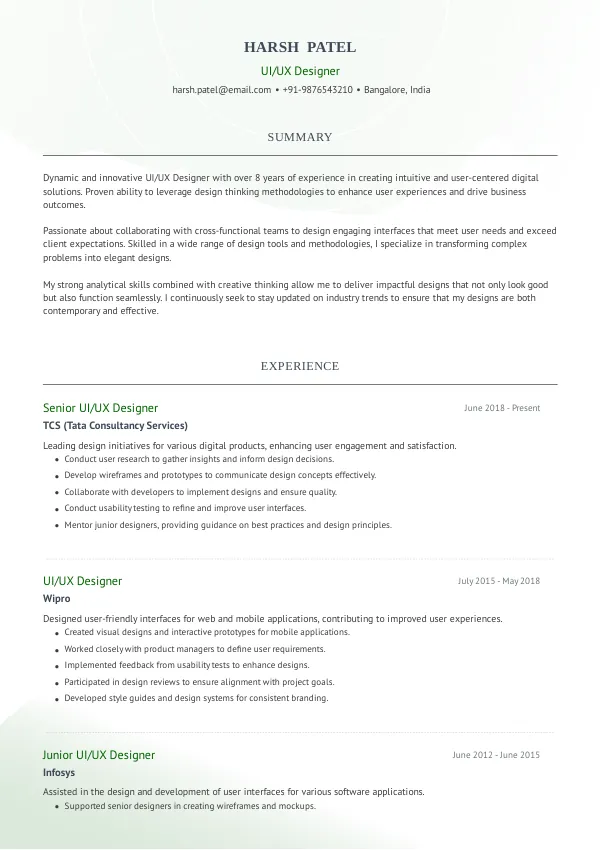
Understanding UI/UX Designer Resume Challenges in India
As a UI/UX Designer in India, your resume plays a crucial role in making a strong first impression. However, many applicants overlook critical mistakes that can block potential interviews. Understanding these pitfalls can help you navigate the hiring landscape more effectively. To avoid repeated rejections, consider reviewing your resume for hidden mistakes early on.
How Recruiters and ATS Evaluate Your Resume
Recruiters and ATS systems prioritize resumes that clearly demonstrate relevant skills and experiences. They scan for specific keywords and formatting that align with the job description. Many candidates are rejected due to issues they may not even notice without an external review. A thorough review of your resume can help ensure it meets these crucial standards.
Recognizing what recruiters look for can be the difference between a call back and a silent rejection.
Unlock your potential with a polished resume today.
Get StartedCommon Resume Mistakes for UI/UX Designers
Mistake #1 – Poor Formatting
Why this hurts
Inconsistent formatting can make your resume hard to read. Recruiters prefer clean, organized layouts.
Example
- Bad: Multiple font types and sizes.
- Better: A consistent font type and size throughout.
How to fix
- Choose a single font and stick to it. Use bold for headings only.
Mistake #2 – Vague Job Descriptions
Why this hurts
Vague descriptions fail to showcase your impact. Recruiters look for measurable achievements.
Example
- Bad: "Responsible for improving user experience."
- Better: "Increased user retention by 30% through redesigning the onboarding process."
How to fix
- Quantify your achievements and be specific about your contributions.
Mistake #3 – Ignoring Keywords
Why this hurts
ATS filters out resumes lacking relevant keywords. Missing keywords can lead to automatic rejection.
Example
- Bad: "Worked on various design projects."
- Better: "Led wireframing and prototyping for multiple high-impact design projects."
How to fix
- Include industry-specific keywords from the job description.
Mistake #4 – Lack of User-Centric Focus
Why this hurts
UI/UX is all about the user. Resumes that don't reflect a user-centric mindset can be disregarded.
Example
- Bad: "Designed interfaces."
- Better: "Designed user interfaces that enhanced usability based on user feedback."
How to fix
- Highlight your understanding of user needs and how your designs address them.
Mistake #5 – Overloading with Jargon
Why this hurts
Excessive jargon can confuse recruiters. They prefer clear language that conveys your skills.
Example
- Bad: "Utilized synergies for cross-functional collaboration."
- Better: "Collaborated with teams to enhance project outcomes."
How to fix
- Use straightforward language to describe your skills and experiences.
Mistake #6 – Not Tailoring Your Resume
Why this hurts
Generic resumes fail to capture attention. Tailoring shows you understand the role.
Example
- Bad: "Experience in various design roles."
- Better: "Experienced in UI/UX design for e-commerce platforms."
How to fix
- Customize your resume for each application based on the job description.
Mistake #7 – Missing a Professional Summary
Why this hurts
A summary can set the tone for your resume. Without it, you may lose a chance to highlight your key qualifications.
Example
- Bad: No summary present.
- Better: "Creative UI/UX Designer with 5+ years of experience in enhancing user engagement."
How to fix
- Add a short professional summary that outlines your expertise and goals.
Mistake #8 – Ignoring Soft Skills
Why this hurts
Technical skills are crucial, but soft skills are equally important. Recruiters look for collaborative team players.
Example
- Bad: "Proficient in design tools."
- Better: "Proficient in design tools, with strong communication and collaboration skills."
How to fix
- Highlight soft skills alongside technical abilities to present a well-rounded profile.


ATS-Specific Resume Issues
ATS systems can misinterpret resumes due to formatting issues or incompatible file types. Submitting a PDF or an image can lead to parsing errors, causing your resume to be filtered out. Many candidates struggle to identify these errors, making an automated or expert review essential. Ensure your resume is in a text-friendly format and devoid of excessive graphics to enhance ATS compatibility.
Mistakes by Experience Level
Entry-Level
Entry-level candidates often focus too much on education and neglect practical skills. Highlight internships and projects that showcase your design capabilities. Tailor your descriptions to reflect relevant coursework and design competitions.
Mid-Level
Mid-level designers should emphasize leadership and project management experience. Avoid generic statements; instead, focus on specific accomplishments that demonstrate your growth and expertise in the field.
Senior / Lead
Senior designers must signal their strategic impact. Highlight your role in decision-making processes and your influence on team outcomes. Mention mentorship experiences and significant projects that showcase your leadership abilities.
Ensure your resume stands out with an expert review.
Review NowQuick Checklist for Your UI/UX Designer Resume
- Use consistent formatting throughout.
- Quantify your achievements.
- Include relevant keywords from the job description.
- Highlight user-centric design approaches.
- Avoid excessive jargon.
- Tailor your resume for each job application.
- Add a professional summary.
- Mention soft skills alongside technical skills.
- Ensure ATS-friendly formatting.
- Proofread for grammar and typographical errors.
FAQs About UI/UX Designer Resumes in India
What should I include in my UI/UX resume?
Focus on your design experience, relevant skills, and measurable achievements. Be sure to highlight your user-centered approach.
How long should my resume be?
For UI/UX Designers, a one to two-page resume is ideal. Ensure it is concise yet comprehensive.
Is it necessary to tailor my resume for each application?
Yes, tailoring your resume helps you stand out by aligning your skills with the job requirements.
What common mistakes should I avoid?
Avoid vague descriptions, poor formatting, and failing to include relevant keywords. These can all lead to rejection.
How can I ensure my resume is ATS-friendly?
Use standard fonts, avoid images, and save your resume in a .docx or .txt format to enhance ATS compatibility.
Take Action Now to Improve Your Resume
Don't let your resume be the reason you miss out on great opportunities. Take the time to review your resume for these common mistakes and improve your chances of landing an interview.
Consider using mistakes.cv for a professional review or a second opinion. Making sure your resume is polished can make all the difference in your job search.

 UAE
UAE Qatar
Qatar Saudi Arabia
 South Africa
 Brazil
 USA
USA Canada
 Australia
 United Kingdom
 New Zealand
 Singapore
 Germany
 France
 Spain
Spain Greece
 Italy
Italy India
India Philippines
 Malaysia
 Indonesia
 South Korea
 Japan
Japan