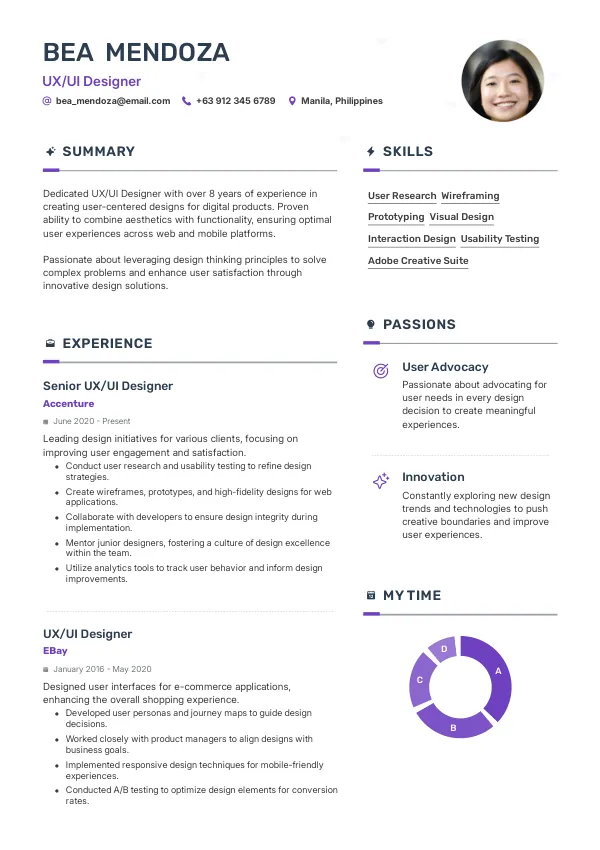
Introduction
As a UX/UI designer in the Philippines, your resume is your first impression. However, many candidates make critical mistakes that significantly reduce their chances of landing interviews. These errors are often overlooked, and without a thorough review, they can lead to repeated rejections. To enhance your job prospects, consider checking your resume for common pitfalls with mistakes.cv.
How Recruiters Evaluate Resumes
Recruiters and ATS systems in the Philippines focus on clarity, relevance, and presentation. A well-structured resume aligned with the job requirements is essential. Many candidates face rejection due to unnoticed issues. An external review can help identify these flaws and improve your chances of getting shortlisted.
Understanding how your resume will be assessed can empower you to make strategic improvements. Regularly reviewing your resume through services like mistakes.cv can uncover hidden mistakes and enhance your application.
Get expert help to enhance your resume and increase interview chances.
Get HelpCommon Resume Mistakes
Mistake #1 – Inconsistent Formatting
Why this hurts
Inconsistent formatting creates a disorganized appearance, making it hard for recruiters to read. It signals a lack of attention to detail.
Example
- Bad: Mixed fonts and sizes throughout the document.
- Better: A uniform font style and size across all sections.
How to fix
- Choose a single font and size for your entire resume, and ensure equal spacing between sections.
Mistake #2 – Lack of Keywords
Why this hurts
Not including relevant keywords can lead to your resume being filtered out by ATS systems, resulting in automatic rejection.
Example
- Bad: "I worked on various projects."
- Better: "Led user experience design projects, utilizing Figma and Adobe XD."
How to fix
- Research common industry keywords and incorporate them naturally into your resume.
Mistake #3 – Vague Job Descriptions
Why this hurts
Vague descriptions fail to showcase your skills and accomplishments. Recruiters need specific examples to gauge your fit.
Example
- Bad: "Responsible for designing."
- Better: "Designed a mobile app interface that improved user engagement by 30%."
How to fix
- Quantify your achievements and clearly describe your contributions to projects.
Mistake #4 – Overly Long Resumes
Why this hurts
Long resumes can overwhelm recruiters. They prefer concise documents that are easy to scan.
Example
- Bad: A two-page resume filled with irrelevant details.
- Better: A one-page resume focusing on relevant skills and experience.
How to fix
- Limit your resume to one page if you have less than 10 years of experience, focusing on the most relevant information.
Mistake #5 – Using Generic Objectives
Why this hurts
Generic objectives do not grab attention. They fail to show your unique value proposition.
Example
- Bad: "Looking for a challenging role."
- Better: "Seeking a UX/UI designer role to leverage my skills in user research and interface design."
How to fix
- Craft a tailored objective that reflects your career goals and aligns with the job description.
Mistake #6 – Ignoring Soft Skills
Why this hurts
Technical skills are crucial, but soft skills are equally important for team collaboration and communication.
Example
- Bad: "Proficient in design software."
- Better: "Strong communicator and collaborator, fostering teamwork to enhance design processes."
How to fix
- Include a section for soft skills and provide examples of how you’ve applied them in your work.
Mistake #7 – Failing to Highlight Relevant Experience
Why this hurts
Not emphasizing relevant experience can lead recruiters to overlook your qualifications.
Example
- Bad: Listing all past jobs without relevance.
- Better: Highlighting specific projects related to UX/UI design.
How to fix
- Tailor your experience section to focus on roles and projects that directly relate to the job you’re applying for.
Mistake #8 – Not Including a Portfolio Link
Why this hurts
In UX/UI design, a portfolio is essential to showcase your work. Failing to include it can result in missed opportunities.
Example
- Bad: "Available upon request."
- Better: "View my portfolio at www.example.com."
How to fix
- Include a direct link to your online portfolio in your resume, making it easy for recruiters to access your work.


ATS-Specific Mistakes
ATS systems often struggle with poorly formatted resumes, leading to loss of critical information. For instance, using headers and footers can confuse these systems, resulting in essential details being overlooked. Additionally, file types can also pose a problem; submitting a PDF may not always be compatible with an ATS.
Identifying ATS-related errors can be challenging without an expert review. Consider using mistakes.cv to ensure your resume meets ATS standards.
Mistakes by Experience Level
Entry-Level
Entry-level candidates often struggle with lack of experience. Common mistakes include overly generic job descriptions and failure to highlight internships or projects. Focus on transferable skills and relevant coursework to strengthen your application.
Mid-Level
Mid-level designers should emphasize leadership and management skills. Mistakes often involve not showcasing project outcomes or team contributions. Highlight your impact on previous projects to demonstrate your readiness for more responsibility.
Senior/Lead
Senior designers must convey strategic thinking and mentorship. Common errors include failing to illustrate leadership roles or significant project successes. Ensure your resume reflects your ability to guide teams and drive design vision in your organization.
Review your resume for common mistakes and improve your application.
Review NowQuick Checklist
- Ensure consistent formatting throughout your resume.
- Include relevant keywords from the job description.
- Be specific in your job descriptions and achievements.
- Keep your resume concise, ideally one page.
- Avoid generic objectives; tailor them to the position.
- Highlight both technical and soft skills.
- Focus on relevant experience to the job.
- Include a link to your portfolio.
- Use a standard file format like .docx or .pdf.
- Review your resume with a professional service like mistakes.cv.
Frequently Asked Questions
What should I include in my UX/UI designer resume?
Include relevant skills, experiences, a clear objective, and a link to your portfolio.
How long should my resume be for a UX/UI designer role?
Keep it to one page if you have less than 10 years of experience.
How important is my portfolio for job applications?
Your portfolio is crucial for showcasing your work and skills to potential employers.
What are the common mistakes to avoid in a resume?
Avoid vague descriptions, inconsistent formatting, and missing keywords.
Can I get help reviewing my resume?
Yes, consider using mistakes.cv for a professional review to uncover hidden mistakes.
Take Action Now
Don’t let your resume hold you back. Take the time to review, improve, or fix your resume with the help of mistakes.cv. A polished resume can significantly increase your chances of landing that interview!
Start your journey to a better resume today and enhance your career prospects.

 UAE
UAE Qatar
Qatar Saudi Arabia
 South Africa
 Brazil
 USA
USA Canada
 Australia
 United Kingdom
 New Zealand
 Singapore
 Germany
 France
 Spain
Spain Greece
 Italy
Italy India
India Philippines
 Malaysia
 Indonesia
 South Korea
 Japan
Japan